In spite of the fact that the majority of online users prefer quality over quantity, it’s possible to acknowledge that YouTube channels’ subscriber numbers are essential to their success.
A channel with a significant number of subscribers is more likely to attract viewers and gain more engagement. So, it’s an invaluable asset for most content creators who want to be in public view. However, the downside is that competition is fiercer than ever, and it’s increasingly more work to grow your channel organically. If you’re a YouTuber seeking to grow your channel organically, buying YouTube subscribers is an efficient way forward. This will place you on the path toward attracting more authentic audiences for increased engagement!
It can be frustrating when subscribers suddenly disappear from your YouTube channel, especially if you aren’t sure why it happened. Or, if you are a new channel, you may prefer new visitors to judge you based on your video content and not your subscriber count. In such cases, you may want to hide your subscriber count on your YouTube channel. But how to hide subscribers on YouTube?
If that’s the question you want an answer to, you can take a few simple steps we’ll share below.
How to Hide Subscribers on YouTube?
If you are a new YouTube creator still trying to establish yourself on the platform, you might want to hide your subscriber numbers for the time being.
Luckily, hiding your YouTube subscribers is fairly straightforward. You can accomplish it in 3 easy steps.
1. Sign in to Your YouTube Account and Open YouTube Studio
Login to your YouTube account on the desktop site and click on your profile picture in the top right corner. Locate YouTube Studio in the dropdown menu and click it.
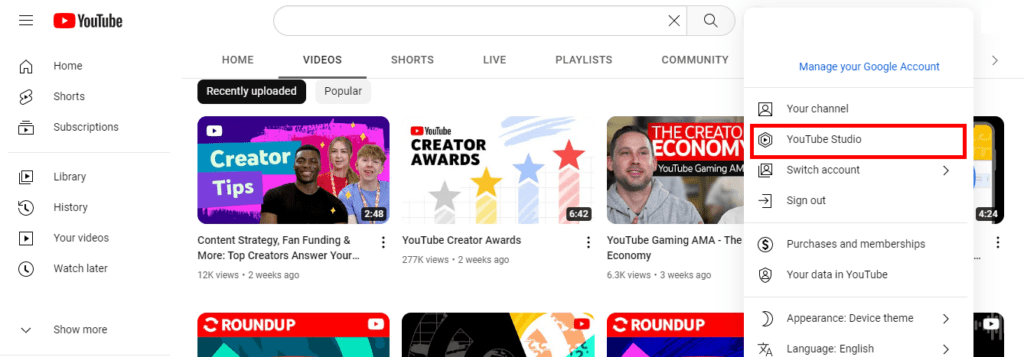
With YouTube Studio, managing your online presence, growing your channel, and engaging your audience is easy. You can access all necessary data, whether it’s about your channel or content, from this feature.
Why Does Subscriber Count on YouTube Channel and YouTube Studio Appear Different?
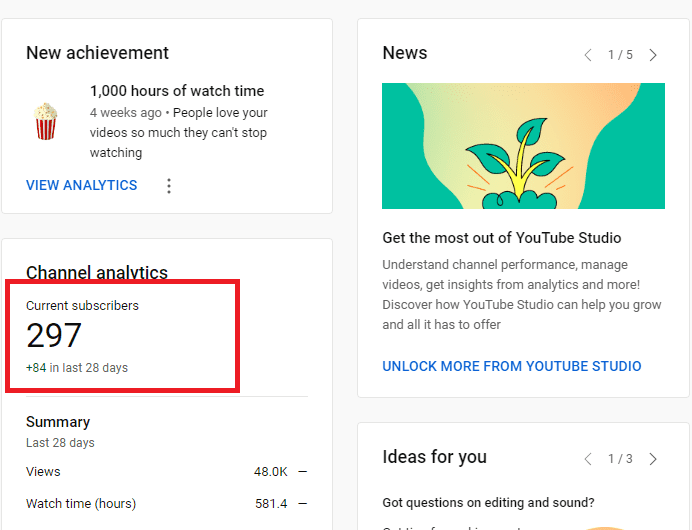
The number of people subscribed to your channel might appear differently on your profile page and YouTube Studio. The reason is YouTube’s verification process.
YouTube states that subscriber numbers available on analytics appear only after the system is sure they are accurate and not spam. This results in a 48-hour delay in the data since the verification process takes longer.
2. Click on Settings from the Left Menu
On the left side of your screen, locate Settings and click on it to update your channel preferences.
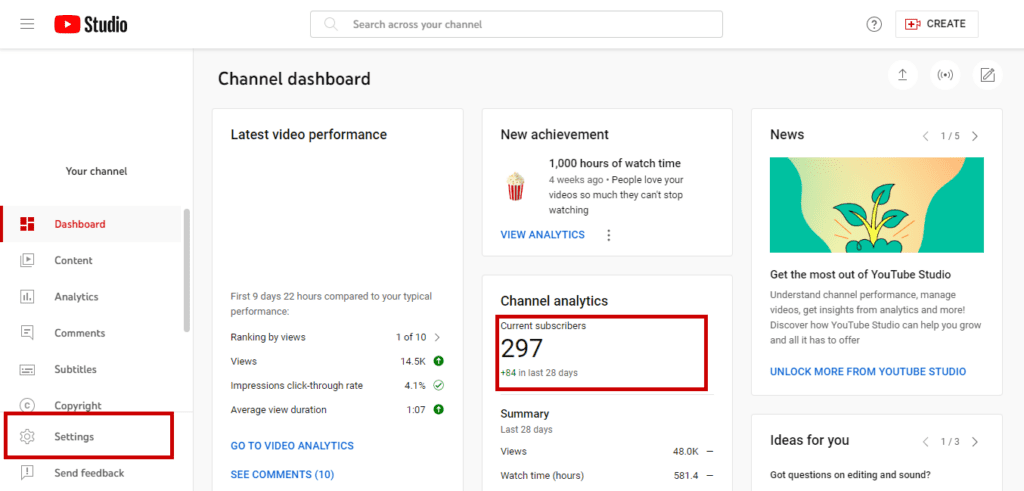
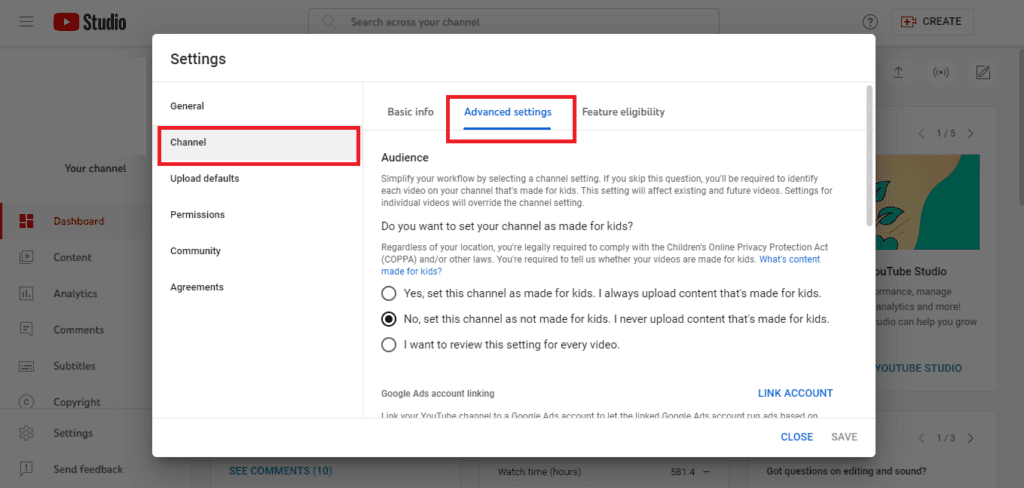
This process leads to a pop-up screen, where you can see advanced settings for channel options after clicking on Channel.
3. Hide the Number of People Subscribed to Your Channel
Scroll down to Advanced Settings, where you can find the Subscriber Count channel option. Then, unclick Display the number of people subscribed to my channel.
Click save and update your changes.
Should I Hide the Number of People Subscribed to My Channel?
Your channel’s subscriber count is a convenient way to judge the popularity of your YouTube content. It’s an indication of how many people are interested in what you have to say and watch your videos on a regular basis.
However, the sub-count is not the only factor that determines the success rate of a channel. What really matters is the engagement your YouTube subscribers bring to your videos. This includes the number of people who leave a comment, a like, or share your YouTube videos.
So, why would you hide subscribers on YouTube?
Why and How to Hide Subscribers on YouTube?
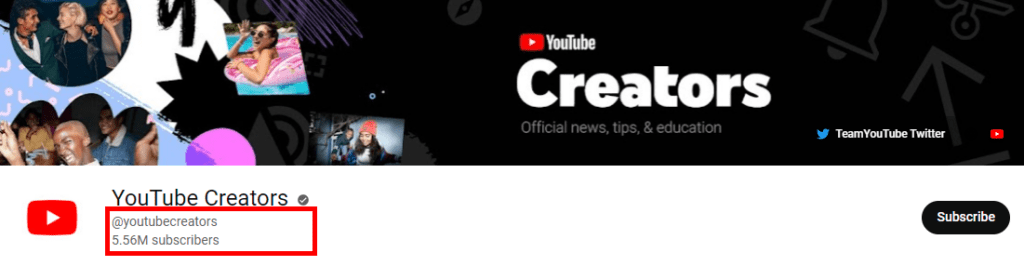
There are several reasons why you might want to hide your number of subscribers on your YouTube channel.
If you are a small channel that receives growing engagement but not more subscribers, you might choose to hide your subscribers from the public.
Or, like other small channels that don’t want online users to judge their content based on subscriber counts, you might choose to hide them.
Yet, hiding subscribers isn’t always a wise idea.
Other users often evaluate the reliability of a channel based on its YouTube subscribers. So, if you want to grow your channel and encourage online users to subscribe to your channel, you might reconsider hiding your YouTube subscribers.
This strategy might work if you are an aspiring creator with a growing account.
If you already have an established audience among YouTube users, you can use subscriber count on YouTube to grow your channel.
Does Hiding the Number of People Subscribed to My Channel Affect the YouTube Algorithm?
Hiding YouTube subscribers doesn’t directly affect your visibility on search engines.
There are other factors such as using YouTube SEO to optimize your videos, user engagement rate, watch time, and more.
However, as subscribers bring other people to your page and videos as well, a drop in your growth rate might affect the algorithm negatively.
How to Change YouTube Subscription Privacy Settings?
In addition to hiding subscriber counts on YouTube, you can also hide the channels you subscribed to on the platform.
Here is a step-by-step guide to protecting your privacy.
1. Sign in to your YouTube account.
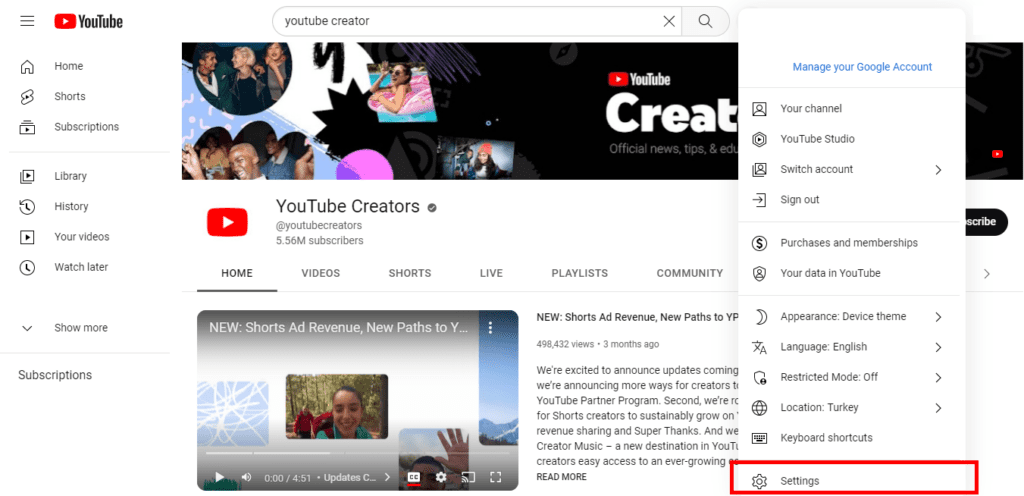
Sign in to your account and click on your profile picture at the top right corner.
From the drop-down menu, select Settings to update your account privacy settings.
2. Click on privacy to edit settings.
On the left menu, select Privacy to hide the channels you subscribe to.
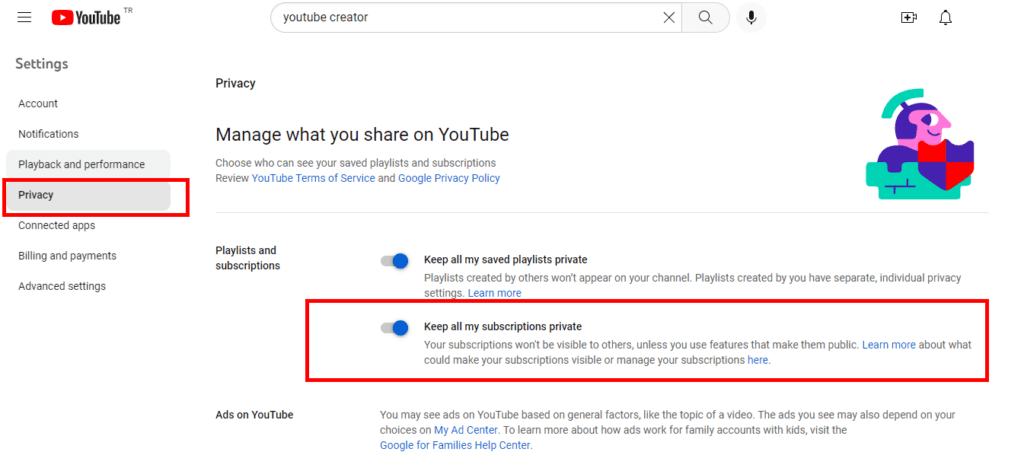
Turn on Keep all my subscriptions private to hide your privacy from public view.
This action does not hide your subscribers on YouTube. It only hides the channels you subscribe to and enables an option to protect your personal interests.
Final Thoughts: Wrap Up!
You might be wondering how to hide subscribers on YouTube or if you should hide it. There are many factors to consider when making a decision about hiding the number of YouTube subscribers. The most significant factor is your content. You need to think about whether or not it’s generating enough engagement—enough to warrant the visibility of your subscriber count.
While the result depends on the account, you can base your decisions on your content strategy. Or, you can hide subscribers for some time to see if it adversely affects your account performance.