The high-quality music streaming service and rich music library offered by Spotify should surely be the reasons attracting millions of users to stick to it. However, when Spotify has limited the offline music feature with a series of restrictions, some users are leaving unexpectedly. To offset these limitations and help you better enjoy offline Spotify Music streaming, TuneFab Spotify Music Converter is here to help. This full review will guide you through why we need TuneFab Spotify Music Converter and the benefits it could bring to us. Now, let’s take a read!
Why We Need TuneFab Spotify Music Converter?
As mentioned, Spotify has applied certain limitations to prevent us from streaming its provided songs as we desire. For example:
- Only Spotify Premium subscribers are able to access the offline feature to stream music without network connection;
- Ads would be added to the playlist while shuffling using a free Spotify account;
- Even for Spotify Premium subscribers, users are only able to enjoy offline music streaming within the Spotify app;
- It won’t be possible for any user to transfer Spotify songs to other devices for listening freely;
You should be noted that all the streaming limitations that existed in Spotify happened because of DRM, a protection tech developed to encrypt streaming media. Once you remove DRM from Spotify songs, the music turns to a protection-free status, then you are able to get rid of all these restrictions and enjoy the music playback offline for free. And this is how TuneFab Spotify Music Converter can help.
TuneFab Spotify Music Converter Overview
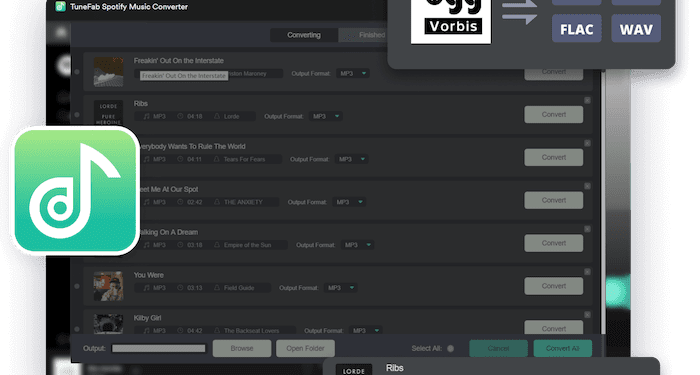
TuneFab Spotify Music Converter is mainly developed to remove DRM from Spotify songs, thus helping users to get rid of all Spotify Music streaming limitations brought by this encryption technology. Meanwhile, it offers mainstream formats to output the songs, making it possible to listen offline across devices and platforms. Via the software, you are actually getting much more convenient and flexible streaming experience than ever before.
Highlighted Features You Shall Not Miss
To make its Spotify Music conversion feature to be out-performing, TuneFab Spotify Music Converter has delivered a better user experience via the following features equipped. Now, go through them and you will know how attractive TuneFab Spotify Music Converter can be.
#1. Integration with Spotify Web Player
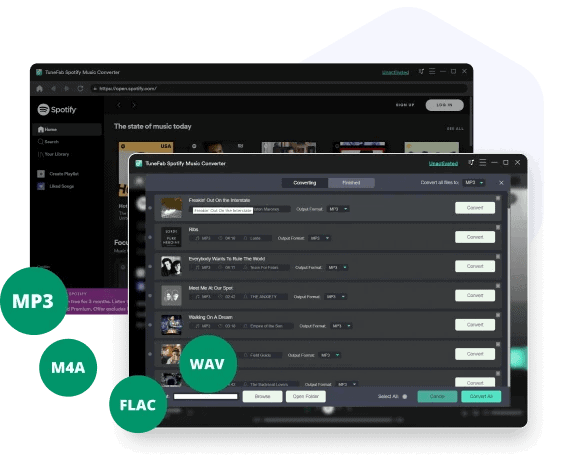
The first highlight of TuneFab Spotify Music Converter should be its integration with the official Spotify web player. By embedding the web player inside the software, users are available to directly log in and browse or stream songs like how they do on the original Spotify web player. With the download function equipped, you are allowed to directly process the music download from Spotify web player inside TuneFab Spotify Music Converter, which can be done before!
#2. Customized Output Settings
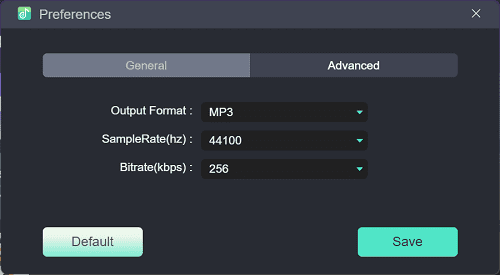
TuneFab Spotify Music Converter delivers free customized settings, availing users to define the output quality of the Spotify songs as they desire. You are able to adjust the quality by customizing sample rate and bitrate, and also choose a mainstream format from MP3, M4A, WAV, FLAC to output based on where you desire to save the converted songs. With the software, you are possible to increase the compatibility of Spotify songs and preserve them offline in the quality in requirements.
#3. ID3 Preservation
Another convenience brought by TuneFab Spotify Music Converter should be its ability to keep the ID3 info for each Spotify song during the conversion. The title, artist, album, etc. will be preserved for easily checking back after the download completes. In this way, you will find it quite easy to mange and sort the downloaded items even you have gotten several lists of them converted at once.
#4. Efficient Download Performance
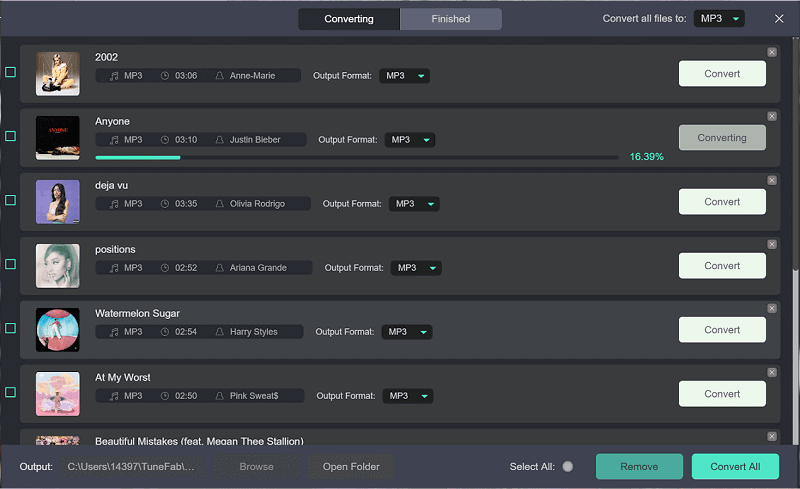
As for the download efficiency, TuneFab Spotify Music Converter also ensures the fastest performance with multiple acceleration teches employed. The conversion speed is able to reach 5X or even fast while connecting with the stable network. Meanwhile, the software also supports converting multiple items simultaneously to save time. With TuneFab Spotify Music Converter, you will find it quite time-saving even you get multiple Spotify playlists to download at once!
How to Use TuneFab Spotify Music Converter
Now, the following brief guide will show you the simple steps to download Spotify playlist via this Spotify to MP3 converter, TuneFab Spotify Music Converter without hassle:
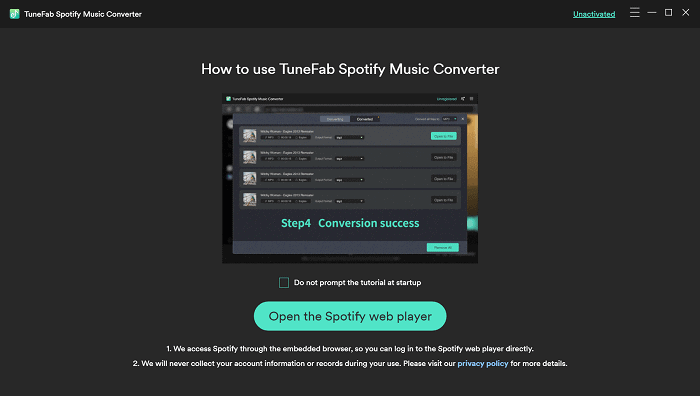
STEP 1. Launch TuneFab Spotify Music Converter on desktop, then open the built-in Spotify web player and complete the account login.
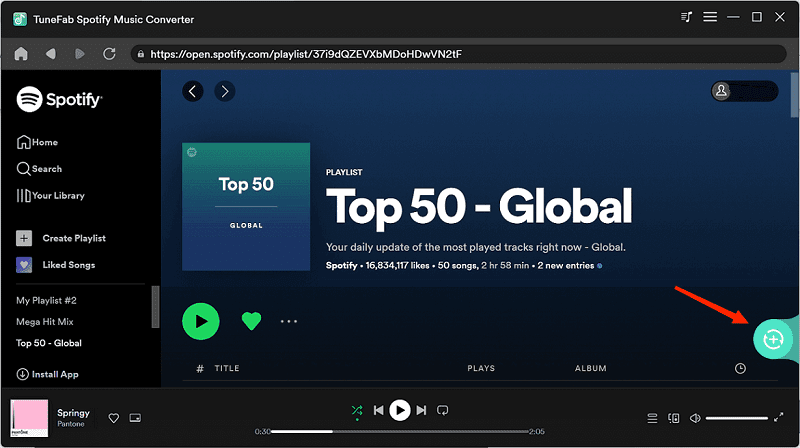
STEP 2. Browse and access the Spotify playlists you desire to download. Simply drag them to the floating “+” icon and complete the import.
STEP 3. Navigate to “Menu” > “Preferences” > “Advanced” for customizing the output format, sample rate, and bitrate as you desire.
STEP 4. Give a go by hitting the “Convert All” icon to process the Spotify Music conversion right away!
If you are considering professional software to remove all streaming limitations brought by Spotify and enjoy hassle-free playback offline, TuneFab Spotify Music Converter is absolutely the best choice for you. With stable performance, efficient conversion, and high-quality outputs, the software is able to bring you the best experience no matter downloading Spotify tracks or enjoying music playback offline. Now, get started with its free trial!