Although we have seen a lot of updates from major tech giants including iOS and Android they haven’t introduced the feature of changing the speed of videos. The content creators have to speed up the videos for social media pages like Instagram and Facebook. In this article, we have discussed the best 5 apps to speed up video for Instagram in 2021 that will help you create beautiful video content in no time.
Keep reading to catch more.
Best apps for speeding up your videos
1. Hyperlapse for Instagram (iOS)
This application is perfect for speeding up your Instagram videos with a few taps. It is available for iOS users only and the default video speed is set to 6 times. A 1-minute video will be speeded up to 10-seconds with this default setting.
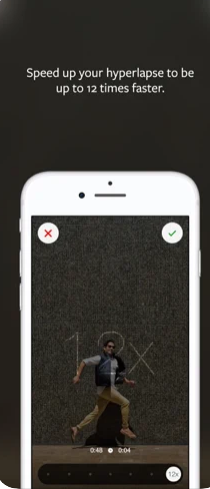
The users can upload a video directly from their device or they can also start recording a video and speed it up for their social media pages. These videos can also be shared on your Instagram page with a single tap.
It is only compatible with the latest versions of iOS devices. There are some amazing filters and effects available for your videos. It is a simple-to-use application that involves a basic user interface for newbies and inexperienced video editors.
2. Lapse It (iPhone and Android)
This application has won a couple of awards for being the app to speed up videos for Instagram. This fast and simple video editing tool offers slow-motion and hyper-lapse features. Lapse It includes all the features that a top-rated video editing software provides including the best time-lapse cameras, white balancing, and ISO.
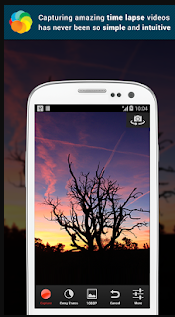
There is an option of customizing the settings to get the best results. The users can also enjoy the slow-motion videos for their Instagram pages. The video quality and resolution can be changed as per personal preferences.
Lapse It also includes the features of changing frames per second, codec, and background music. Users with no knowledge of video editing and processing can use this tool for speeding up their video content.
3. Framelapse (Android)
Framelapse is among the list of best apps to speed up the video for Instagram due to its several unique features. There is an option of customizing the settings to create more engaging video content for social media pages and promotional purposes. You can also select from different effects and filters for your videos.
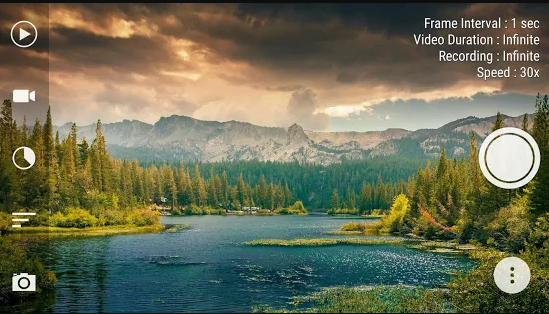
Framelapse allows its users to set the total duration of video content depending on the requirements. The orientation and time frame of videos can also be changed through this tool. One of the best options that Framelapse provides is changing the resolution and bitrate.
It contains both free and paid versions. The users who need an application to change the speed of videos can enjoy the free version. Although it contains an in-app advertisement it can be used to get the required results for free. Experienced users can go for the paid version to get rid of in-app ads. The paid version also contains a couple of extra features for the users including white balance and exposure lock.
4. PhotoPills
This excellent video editing software is jam-packed with features and tools to help both beginner and expert time-lapse filmmakers. This application is offering different time-lapse functions along with a bunch of new basic cinematography features that are required for achieving the greatest results.
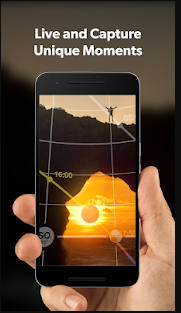
Whether your fascination would be to capture wonderful scenery memorialize the limitless evening sky, amaze the newlyweds on their most special day, or tour the planet, PhotoPills will end up making you adore discovering different creative options to reveal sensory tales in ways that were not previously possible.
5. SkyFlow
SkyFlow isn’t designed for newbies out there who are getting started. It is among the best apps to speed up video for Instagram due to its amazing features. The tool includes some significant pro-level functionalities, including manual lighting, focusing, and white balance adjustment, and a surprising number of additional options, filters, and settings.
The free version of this application is also available for new users. They can enjoy some of the best features of SkyFlow with the free version but they will have to get the paid version to enjoy all the features.
Bonus: Use Filme to edit video for Instagram
iMyFone Filme is really a simple video editing software that allows you to edit video content as a professional. It gives users a lot of effective tools to help you make spectacular clips with different filters, transitions, and elements that convey a fascinating message.
Features of iMyFone Filme
- Can be used for changing the speed of your videos for Instagram.
- Offers most professional features like fast video mode and several editing modes.
- Allows you to crop, edit, trim and rotate your videos for different social media pages.
- Easy and simple to use video editing that is designed for newbies and beginners.
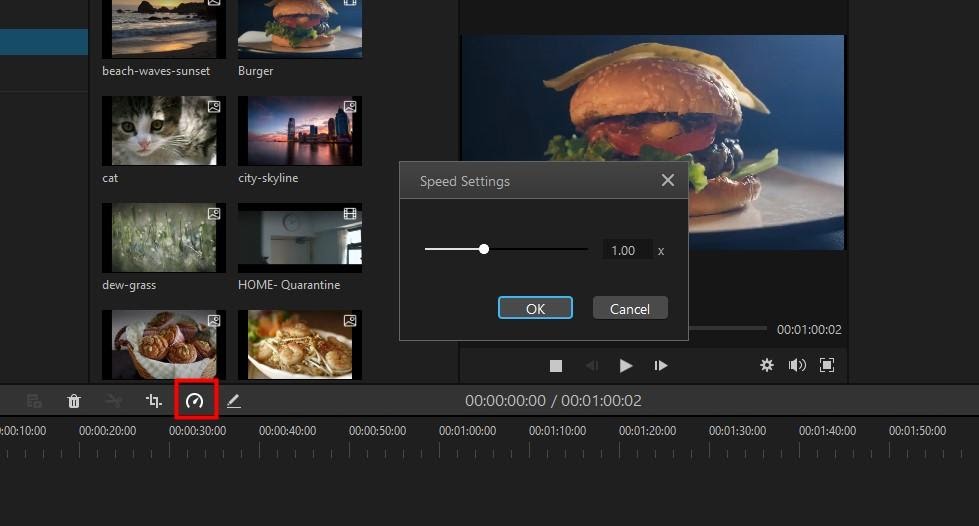
How to speed up your videos with iMyFone Filme
- Upload a video on the timeframe of this software and click on it to select it.
- Click on the ‘Speed’ button in the toolbar to access a new window.
- You can manually adjust the settings of a video by sliding the speed bar.
- Slide it to right for increasing the speed and slide it to left for slowing it down.
- Click ‘Ok’ to complete the procedure.
Conclusion
Digital photography makes it difficult to shoot amazing time-lapses. These video editing applications will enhance your time-lapse photography skills with just a smartphone. iMyFone Filme is one of the best applications for editing video content and speeding up the videos for Instagram due to its wide range of features. It is the best choice for both newbies and experienced video editors.