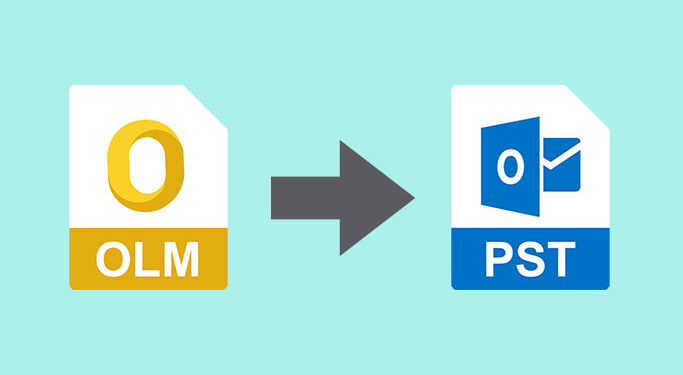
Microsoft Outlook is a comprehensive and advanced email client that’s available for both Windows and Mac OS. The main functions and overall user experience of the software are the same for both operating systems. However, when users switch from Mac Outlook to Windows Outlook, they can’t transfer the mailbox data from former to latter directly. Mac Outlook exports mailbox data in OLM format, while Windows Outlook imports mailbox data in PST format.
To migrate Mac Outlook to Windows Outlook, you may use an advanced OLM to PST converter software. Stellar Converter for OLM is one such specialized software that can directly convert Mac Outlook’s OLM files into Outlook-importable PST files.
Features
User-Friendly Interface and Controls
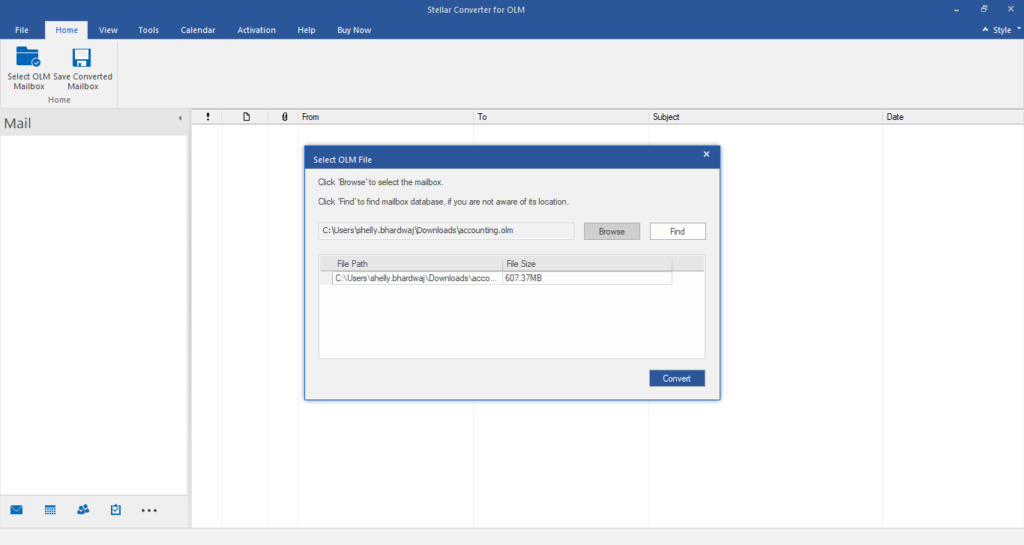
Stellar Converter for OLM is highly advanced, but it has a simple UI that facilitates Outlook OLM to PST conversion. This is the reason why I faced no trouble getting started with the software. When I launched the software, it automatically opened a file selection window in which I had to browse to the OLM file on my system.
I clicked the Find button, upon which the software asked me to provide a location where it would search for the OLM file. I selected the hard drive partition where I had stored the OLM file for conversion. To my surprise, the software found the OLM file within a few seconds.
Preview and Export OLM Emails with Attachments
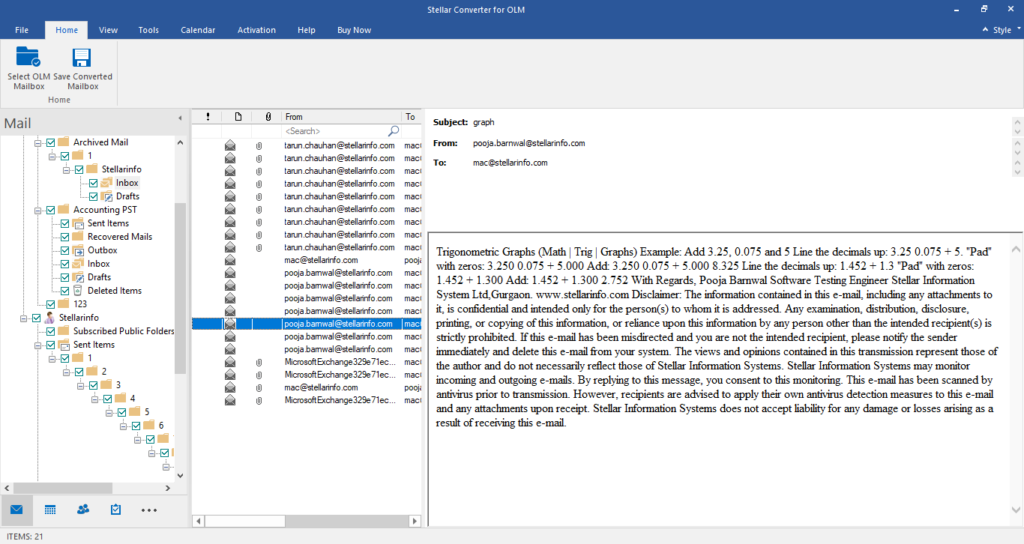
Stellar Converter for OLM generates an in-depth preview of OLM files after converting the data. When I converted the OLM file, the tool displayed emails, attachments, and other mailbox items. All these items were neatly arranged in a three-pane window.
In the left pane, I could expand the folders in the OLM file. The middle pane displayed the messages/items stored in the selected folder. And the right pane showed a complete preview of the selected message. This kind of simple approach I find highly effective.
Saves Converted File in Different File Formats
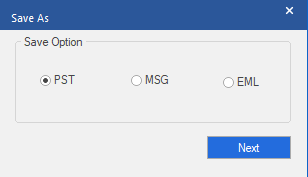
The OLM to PST converter tool saves the converted OLM file into PST, MSG, and EML file formats. While most users would select PST, it’s nice to see that two additional options- MSG and EML, are also given for those who want to save individual messages from an OLM file.
Impressive Compatibility
The software can be installed on Windows 10, 8.1, and 7 Operating Systems. The converted PST is also compatible with most Outlook versions, including Outlook 2019, 2016, 2013, 2010, 2007, and 2003. This kind of extensive support allows Outlook users to purchase the product without worrying whether the tool will be supported by their OS or Windows Outlook version.
Log Generation
Stellar Converter for OLM allows you to save log reports of OLM to PST conversion processes. These reports contain key details about the process, such as the start time, issues encountered during the conversion (if any), etc.
Exporting OLM to Office 365 (Technician edition)
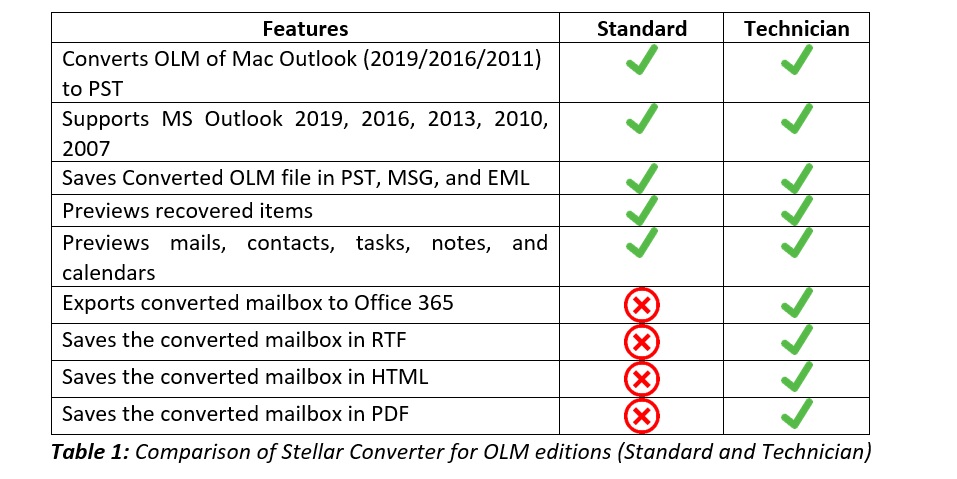
Stellar Converter for OLM allows the users to directly export OLM to Office 365. This feature is extremely beneficial for organizations that are migrating to cloud technology (Office 365). However, it is only available in the Technician edition of the software.
Demo Version
Stellar Converter for OLM offers a free trial, which allows the users to get hands-on experience with the product. I tested this trial version and found that I could import an OLM file, convert it, and preview the mailbox, including emails, attachments, etc. for free. Only when I tried to save the data to a PST file, the software asked me to purchase the full version.
How to use Stellar Converter for OLM?
To use the software for converting OLM to PST, follow these steps:
- Launch the software and browse to the OLM file on the system.
- After selecting the OLM file, click the Convert
- Preview the OLM mailbox after conversion and select the folders you want to save to the PST file.
- Click Save Converted File button under the Home tab to save the converted data.
- Select PST in the list of file format options.
- Select the appropriate option for saving all mailboxes individually or in a single PST.
- Save the converted PST file in the desired location.
System Requirements
- Processor: Pentium Class
- Operating System: Windows 10, 8.1, 8 & 7
- Memory: 2 GB minimum (4 GB recommended)
- Hard Disk: 250 MB of Free Space
Stellar Converter for OLM Editions
The OLM to PST converter software by Stellar is available in two editions. The differences in these editions are shared in the table below.
Software Download
You can download the demo version of the software from the official web page. You can also purchase the full version here. The following editions are available:
- Stellar Converter for OLM – Standard edition– $39 retail price
- Stellar Converter for OLM – Technician edition– $99 retail price
Other Useful Downloads
- Stellar Converter for OLM- User Manual
- Stellar Converter for OLM – Installation Guide
- Stellar Converter for OLM – Product Video
Final Verdict
Summing up this review, it’s a no-brainer that Stellar Converter for OLM is one of the most reliable and powerful OLM to PST converters available today. It’s simple, easy-to-use, and offers a high conversion speed. The price is also competitive, making it a good recommendation for most Outlook users who are switching from Mac OS to Windows OS.
Overall Rating: 4.8/5